Repairs and handyman jobs
Show the issue, record the fix and send the customer a short work report.
Photo and job reports for independent trades
Turn job photos and a short note into a professional PDF your customer can understand. Built for the person doing the work, from a kitchen repair to a full renovation.
No account needed to start. Free download with optional Pro purchases.
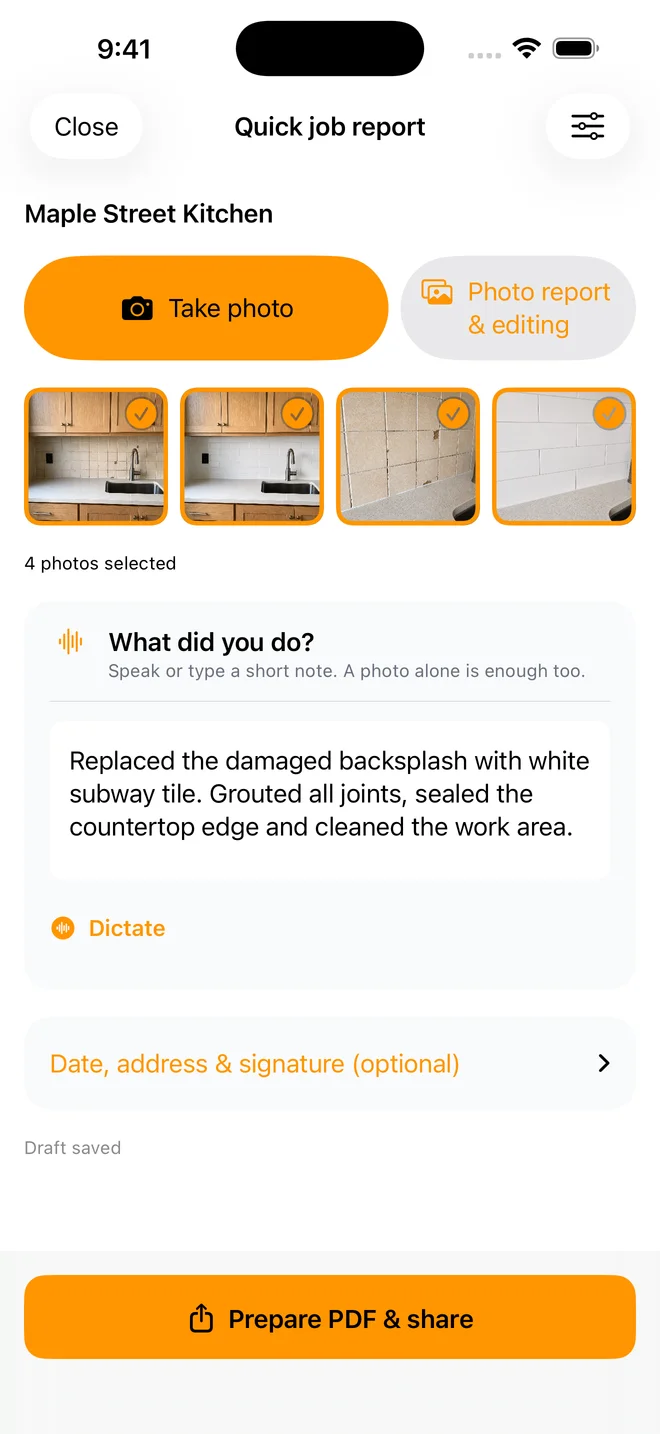
No sign-up to startOpen a project and get to work
Speak or typeKeep the note short
Before and afterShow what changed
PDF to your customerShare the finished work clearly
From the job to the customer
You do not need a CRM to explain a repair. Keep the photos and the work note together, then send a report.
Name the project. Add an address manually or use Get Location. There is no account form between you and the job.
Take photos, tag Before or After, and dictate or type a short description. A quick report can start with just a photo or a note.
Export a PDF with the job details and selected photos. Share it with your customer using the apps on your device.
Let the work speak
Tag photos before, during and after the job. Add a caption so your customer sees what you repaired, replaced or finished.
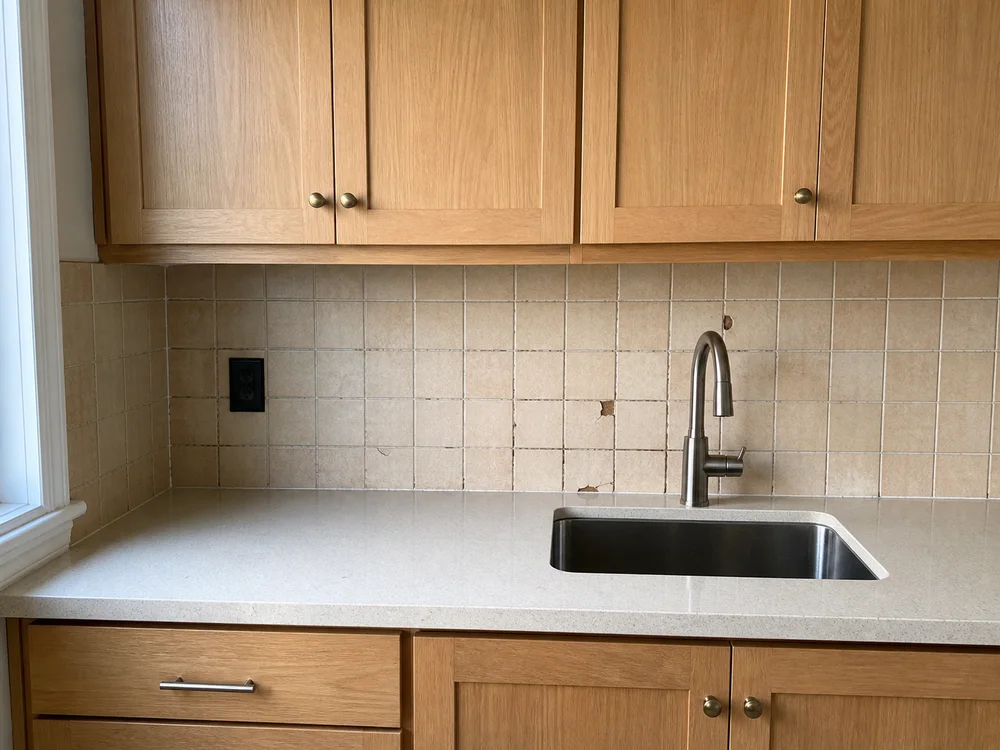
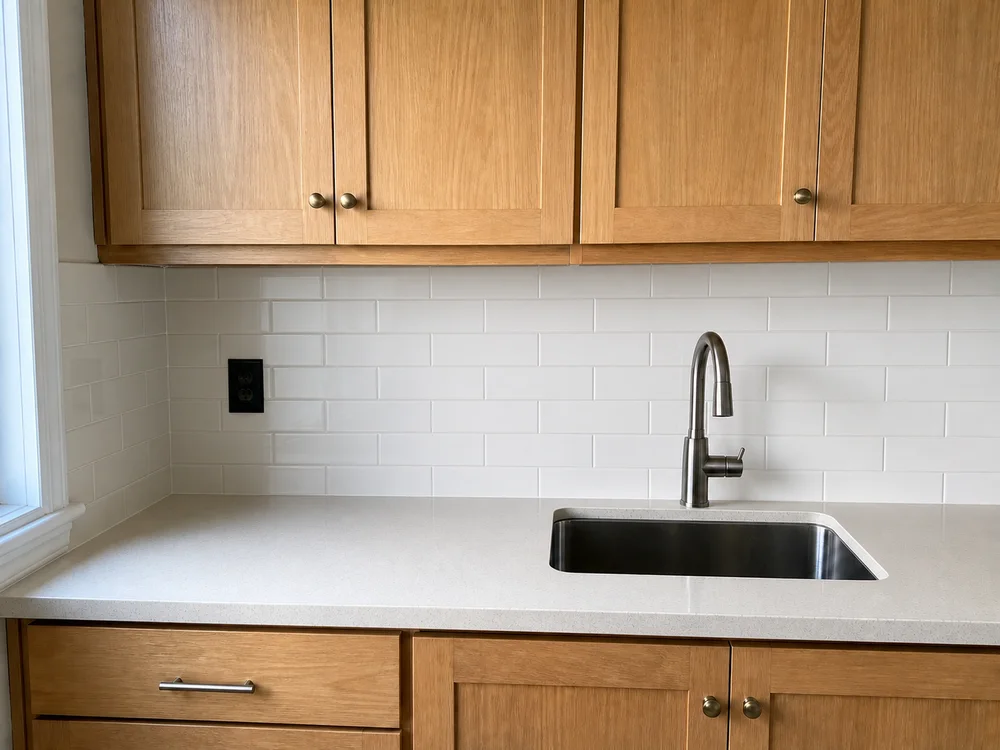
Illustrative renovation using AI-generated sample photos. Not a customer testimonial. The app screens and exported report are real.
Less typing on site
Use Dictate for a work note or photo caption. Review the text, make any corrections and carry on. Dictation follows the app language, including English and Turkish.
Speech recognition needs microphone and speech permissions. Availability can depend on the device and connection.
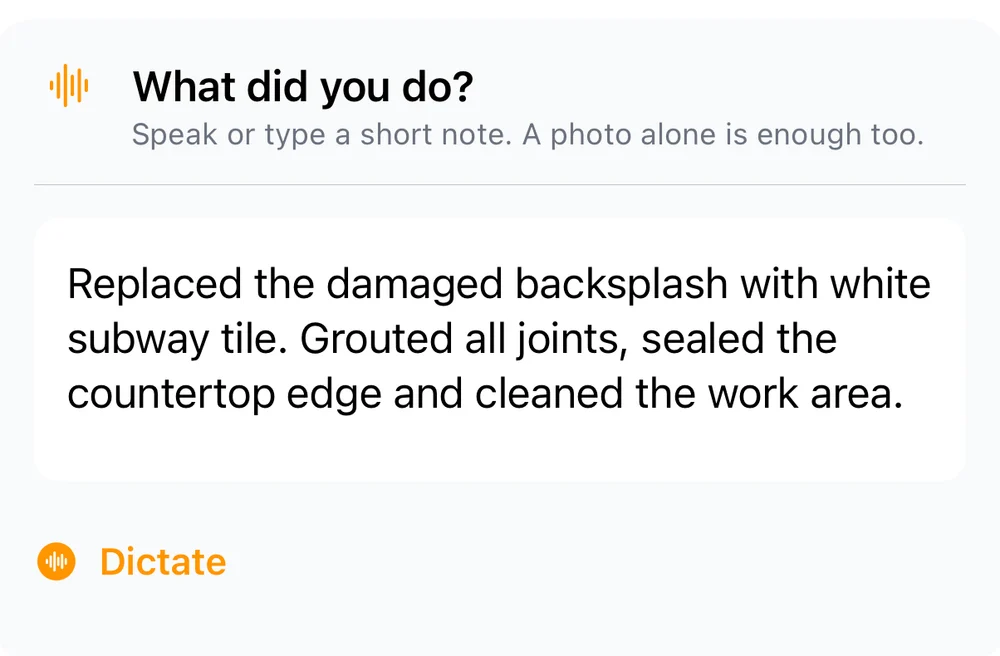
This is what your customer gets
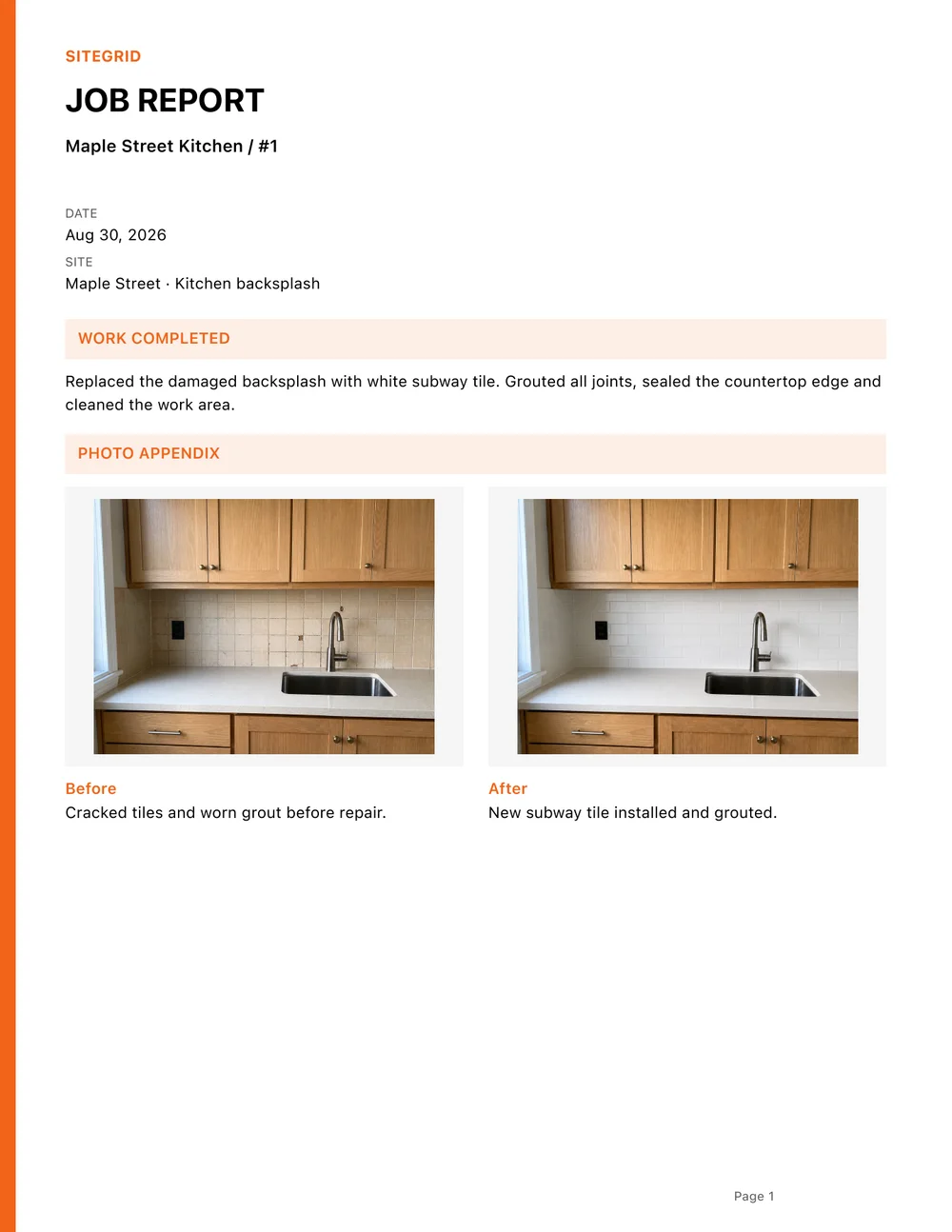
A professional job report with the work completed, selected photos, labels and captions. Share it alongside your invoice so your customer has the context.
SiteGrid documents the work. It does not create invoices, collect payments or guarantee faster payment.
Two-page PDF from the app. Fictional Maple Street Kitchen renovation.
Quick when it can be. Detailed when it needs to be.
Keep small jobs simple. When a longer job needs more detail, use a daily report to record crew, hours, materials, equipment and site conditions.
Show the issue, record the fix and send the customer a short work report.
Keep a kitchen, bathroom or decorating job organised with progress photos and notes.
Prepare a daily construction report without making every quick repair fill a long form.
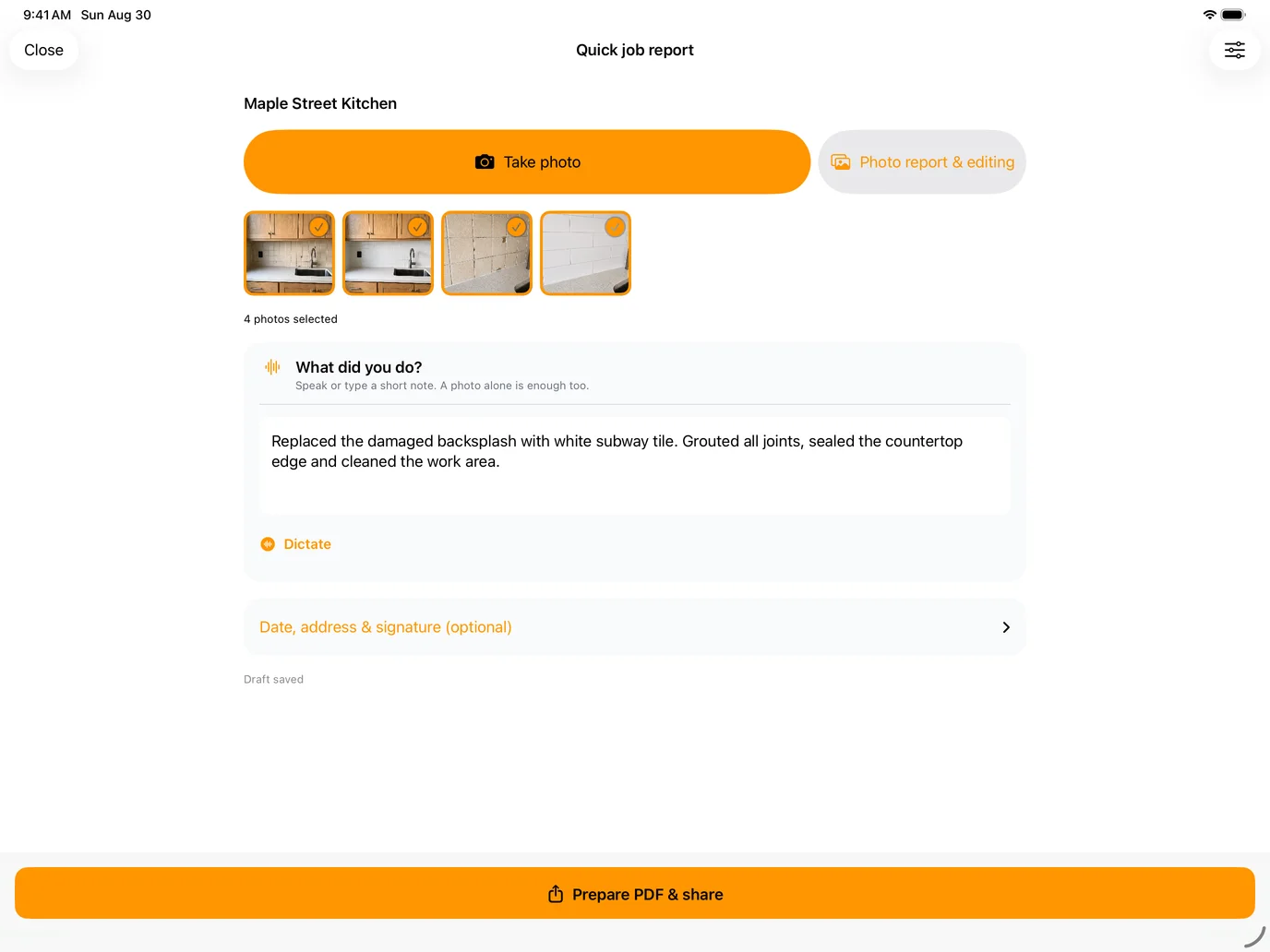
Need a photo-only report? Choose 2, 4 or 6 photos per page in the photo-report exporter. Job reports use their own compact photo appendix with your labels and captions.
Before you start
SiteGrid is for independent tradespeople, handymen, renovation contractors and small crews who need to show customers what was done. It also helps homeowners keep a record of renovation work.
No. You can start a project without creating an account. Give the job a name, take photos and add a short note. You can type the address or get it using GPS with your permission.
SiteGrid is free to download, includes limited free exports and offers a free tutorial export. Optional Pro purchases unlock additional access. Available plans, prices and limits are shown in the app before purchase.
Yes. Start with a quick job report for photos and a work note. Use a detailed daily report when you need additional job records such as crew, work hours, materials, equipment and site conditions.
Yes. Photo reports offer 2, 4 or 6 photos per page. Job reports use a compact photo appendix with photo tags and captions. The photo-report layout selector and job-report appendix are different export formats.
You can capture photos and keep local job notes without a connection. Speech recognition, address lookup, purchases, cloud services and sharing may need connectivity. Export access can depend on your plan and its verification.
No. SiteGrid creates reports that explain completed work. You can share a report alongside your invoice using your usual tools, but SiteGrid is not an invoicing, payment or CRM system.
Back to the work
The guided tutorial takes you through an example and a free PDF export.